Your coding agent forgets your codebase every time you close the tab.
You spent 20 minutes explaining your project to Claude. Tomorrow it won't remember any of it. The Hebbrix MCP server fixes that for good. Set it up once, and your agent keeps your architecture decisions, conventions, bug fixes, and project context across every session.
Works with Claude Desktop, Cline, Cursor, and any MCP-compatible agent.
Under 30 seconds, then you're done
Add the hosted endpoint to your MCP client and reconnect. There is no server to install and guest access needs no Hebbrix account or API key.
Open your MCP client settings
Open the MCP server configuration in Claude Desktop, Cursor, Cline, or another MCP-compatible client.
Add the hosted endpoint
Set https://mcp.hebbrix.com/mcp as the server URL. Save and reconnect.
Start using persistent memory
Tell it something worth remembering, search it later, inspect its graph, or record an action and report its outcome.
{
  "mcpServers": {
    "hebbrix": {
      "url": "https://mcp.hebbrix.com/mcp"
    }
  }
}

# Save and reconnect. No account, API key,
# local process, or package install required.
# Your agent now has persistent memory.What your agent can do now
Thirty-three tools make Hebbrix a persistent learning layer: memory, temporal graph, grounded reasoning, procedures, account workflows, and Outcome Memory. Four representative entry points are shown below.
hebbrix_rememberRemember anything from the conversation
"Remember that we use PostgreSQL with Prisma ORM, and all API routes go through the auth middleware." Your agent stores this, and it's still there next week and next month.
hebbrix_askAnswer from memory and temporal graph evidence
"Who manages Orion now, and what database does it use?" One tool combines memory retrieval, graph evidence, and a grounded answer.
hebbrix_graph_queryQuery relationships and truth over time
Traverse entities and relationships, inspect timelines, and distinguish current facts from superseded history.
hebbrix_choose_actionChoose from measured action outcomes
Record a decision receipt with candidates and propensity, then report delayed outcomes so future choices use evidence and uncertainty.
What it actually feels like
When your coding agent remembers your project, conversations stop repeating themselves.
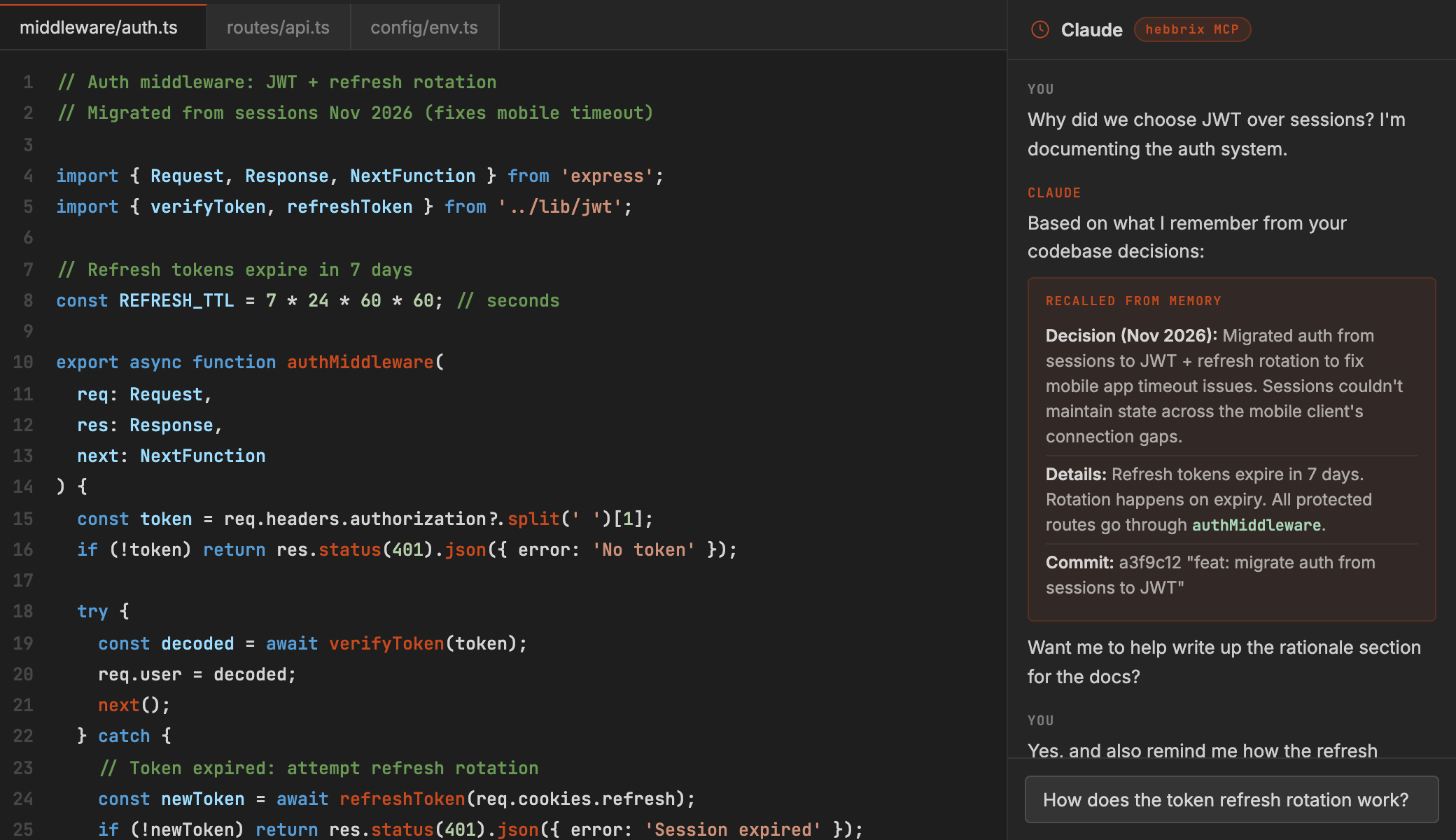
You explain your auth architecture
JWT tokens, refresh rotation, middleware validation. The agent stores the whole pattern, not a summary, including the specific decisions and why you made them.
New protected endpoint, no explanation needed
You ask Claude to add a new route. Without you saying anything, it uses your JWT pattern, adds the middleware, and follows your error handling style, because it already knows it.
A bug. Claude already knows where to look.
Auth issue. Claude remembers Monday's implementation, including the quirk where the token refresh overlaps with rate limiting. It finds the bug in seconds instead of hours.
New sprint, same context
New conversation, same agent brain. It knows your bug fix, your auth pattern, your team's coding style, and your deployment process. It picks up right where you left off.
Give your coding agent a memory it keeps
One hosted URL. Under 30 seconds. No account required.