Every meeting. Every email. Turned into agent context.
Professional relationships live in Outlook. The meeting where you agreed to the contract, the thread where the requirements changed, the calendar that tells you when things are due. Your agents need all of it. The Hebbrix Outlook connector reads it and remembers it.
From calendar and inbox to agent knowledge
Hebbrix reads meeting notes, email threads, and calendar context, then pulls out the decisions, commitments, and relationships that matter.
Outlook · Recent activity
"Agreed to delay mobile launch to Q1 since the iOS store review timeline is unpredictable. Cloud infra budget approved at $12K/month. Alex to own the AWS migration."
Agent memory
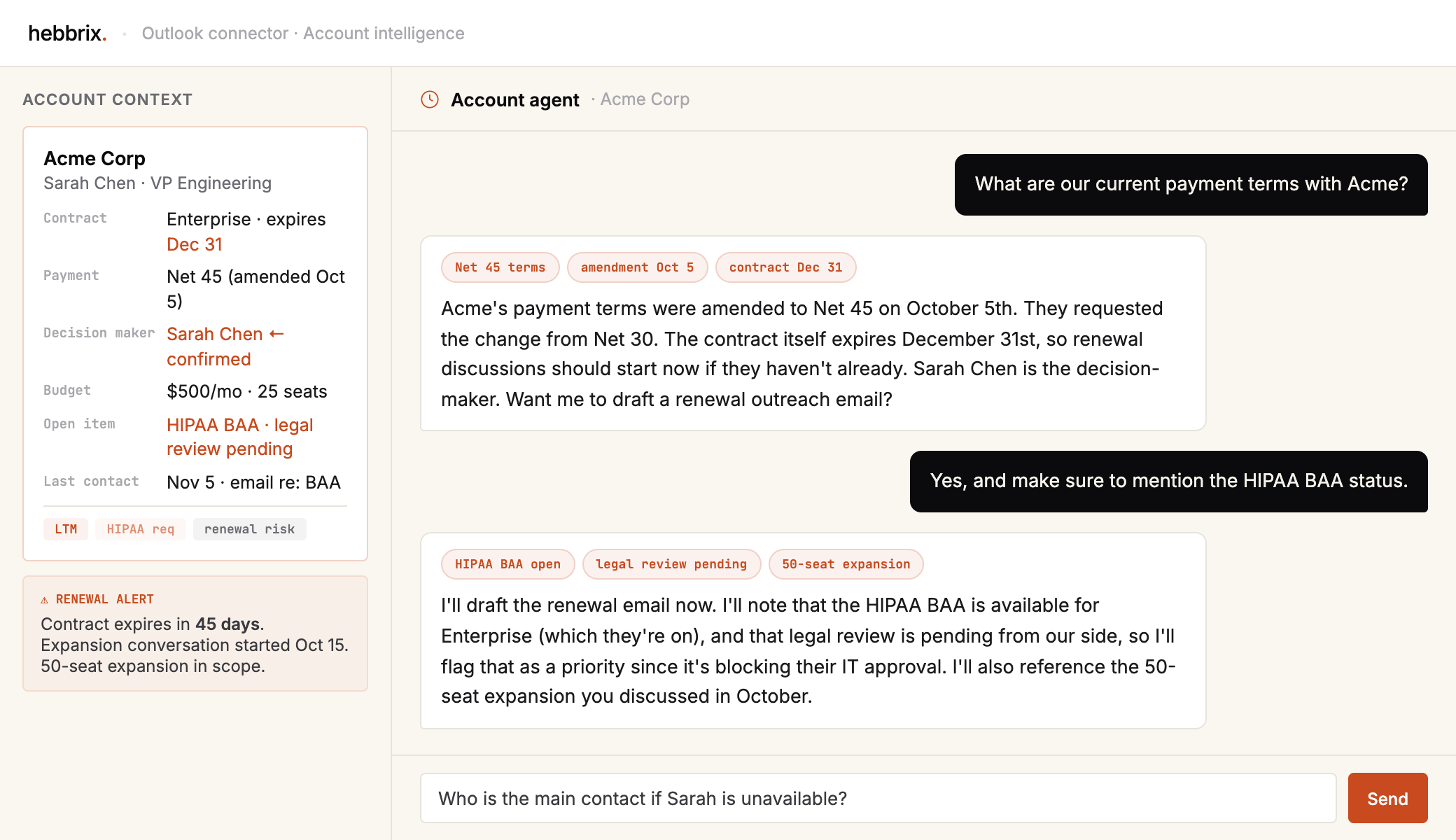
The context that makes your agents actually useful in a business
Meeting decisions
What was agreed, what was tabled, what changed. The decisions that never make it into a ticket.
Commitments and follow-ups
Who owes what to whom, what was promised, what's overdue. Your agent tracks every open loop.
Account relationships
Who the decision-maker is, what their timeline is, what their concerns were. The context that decides how a sales conversation goes.
Contract and legal context
Payment terms, renewal dates, amendment history. Your agent knows when to surface a critical date.
Ownership mapping
Who owns what project, who to escalate to, who made the call. Knowledge graph builds automatically from email patterns.
Calendar context
Deadlines, recurring check-ins, upcoming renewals. Time-aware context the agent can reason about relative to today.
Let your agents understand your business context
Connect Outlook and give every agent the professional context they need to actually help. Free tier, no credit card.