Documents are knowledge waiting to be found.
Your team's best thinking lives in Drive: product specs, customer research, competitive analysis, pricing models, meeting decks. All of it frozen inside files. The Hebbrix Google Drive connector reads what's inside and makes it searchable by your agents in seconds.
From files to agent knowledge
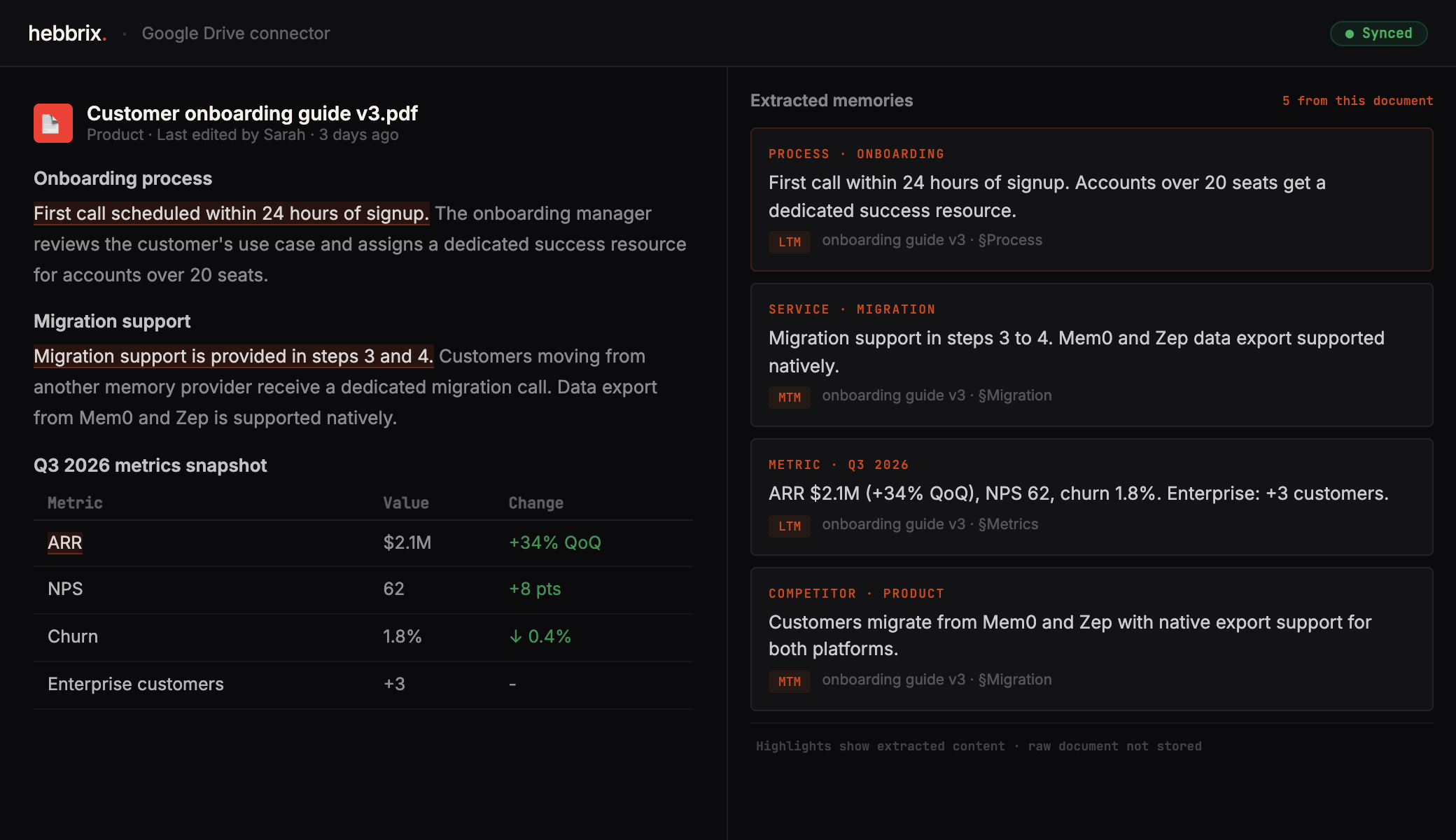
Hebbrix reads the content of your Drive files and pulls out structured knowledge. Not keywords, but the actual decisions, facts, and context inside each document.
Google Drive
Agent memory
Every file format your team actually uses
Full document content including headings, tables, and linked context.
Structured data from spreadsheets, including metrics, pricing models, and databases.
Slide content, speaker notes, and the narrative embedded in presentation decks.
Research papers, reports, contracts, and any PDF with extractable text content.
Microsoft Office files stored in Drive, from specs to handbooks to documentation.
README files, technical docs, runbooks, and any text-based content in Drive.
Your Drive is full of answers. Make them accessible.
Connect Google Drive and give your agents access to everything your team has ever written down. Free tier, no credit card.